B1G IPTV Player Subscription Guide 2026
Choosing the right IPTV service in 2026 is not only about finding more channels. UK users want smooth streaming, fast setup, stable performance, device support, and clear subscription guidance. That is why many users search for B1G IPTV Player when comparing IPTV options in England, Scotland, Wales, and Northern Ireland.
This guide explains what the B1G IPTV Player is, how a B1G IPTV subscription works, what features matter, and how to choose a provider safely.
What Is B1G IPTV Player?
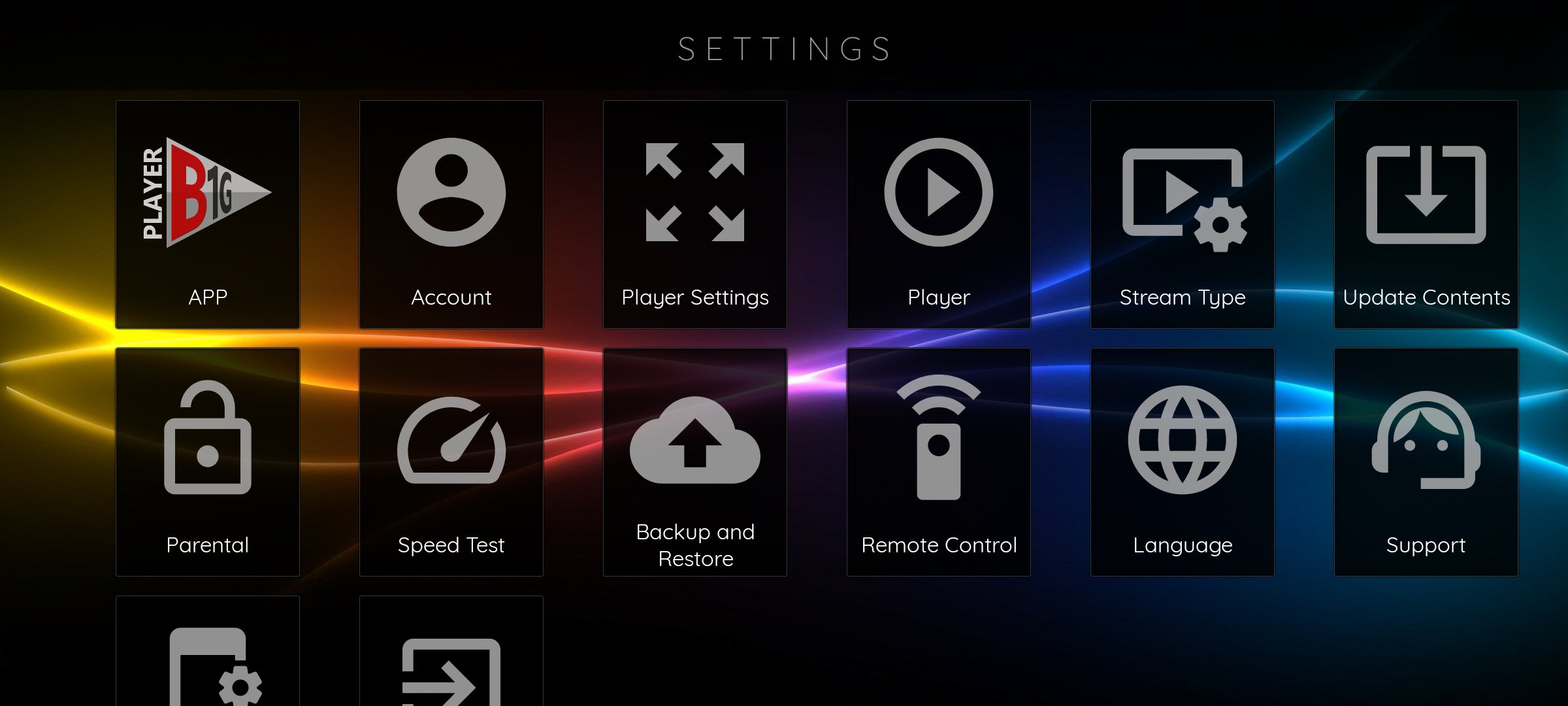
B1G IPTV Player is an IPTV player app linked with B1G IPTV services in the UK. According to the official website, B1G Player is positioned as an IPTV player app for Android and Firestick users, with access to live TV and on-demand content through subscription services.
In simple words, an IPTV player works like a media app. It helps users stream TV channels, films, series, or other available content through an internet connection instead of traditional cable or satellite.
However, users should always understand one important point: IPTV technology itself is not illegal, but the legality depends on whether the content is properly licensed. FACT UK warns that illegal IPTV services can create legal, security, and privacy risks for users.
Why UK Users Search for B1G IPTV Subscription in 2026
The IPTV market has grown because viewers want more flexibility. Instead of depending only on fixed TV packages, many people now prefer app-based streaming.
UK users usually look for a B1G IPTV subscription because they want:
- Live TV access on smart devices
- Firestick and Android compatibility
- A simple IPTV player app
- Sports, movies, entertainment, and international content
- On-demand viewing options
- Better value compared with multiple streaming subscriptions
- Easy setup without complex equipment
Because of this, B1G IPTV Player fits users who want a direct streaming experience with fewer technical steps.
Key Features of B1G IPTV Player
A good IPTV app should feel simple, fast, and stable. When users compare IPTV services, they usually judge the experience based on performance rather than channel numbers only.
1. Easy App-Based Streaming
The biggest benefit of B1G IPTV Player is convenience. Users can access IPTV through supported devices instead of installing complicated systems.
For example, a UK household may use the app on Firestick in the living room and Android on another screen. This setup helps users watch content without needing cable boxes.
2. Firestick and Android Support
Firestick remains one of the most popular IPTV devices in the UK because it is portable and easy to connect to a TV. Therefore, compatibility matters.
The official B1G Player website highlights Android and Firestick as key supported platforms.
3. Live TV and On-Demand Options
Many users want both live channels and video-on-demand content. A flexible IPTV player should support both, so users can switch between live events, films, and series.
This is especially useful for families because everyone may prefer different types of content.
4. Simple Navigation
A clean interface can make a big difference. Users do not want to waste time searching through messy menus. Instead, they want quick access to categories, favourites, and recently watched content.
5. Support for UK Viewers
Because the target audience is the United Kingdom, support matters. Users in England, Scotland, Wales, and Northern Ireland often need help with setup, renewal, device installation, or login details.
The B1G Player website includes a contact page for questions about subscriptions, installation, and reseller panel access.
B1G IPTV Player vs Regular IPTV Apps
Not every IPTV app offers the same experience. Some apps only provide a basic player, while others connect users with a subscription service and support.
Here is a simple comparison:
B1G IPTV Player
- Built around B1G IPTV services
- Designed for UK IPTV users
- Supports Firestick and Android
- Offers subscription-focused access
- Provides support through the official website
Generic IPTV Player Apps
- May require manual playlist setup
- Support depends on the app developer
- Quality varies by provider
- Some apps may feel technical for beginners
- Users may need separate service credentials
So, if a user wants a more guided setup, B1G IPTV Player may feel easier than using a random IPTV player with unknown service details.
How to Choose a B1G IPTV Subscription Provider
Before buying any IPTV subscription, users should check more than the price. A cheap subscription can look attractive, but poor support or unstable streaming can ruin the experience.
Check These Points First
- Device compatibility
Make sure the subscription works on your preferred device, such as Firestick or Android. - Streaming stability
A good provider should offer smooth playback during peak hours. - Support availability
Choose a provider that can help with setup, renewal, and login problems. - Clear subscription details
Look for transparent information about package duration, access method, and support. - Legal and privacy awareness
Avoid suspicious services that promote unauthorised access to premium content. - Website trust signals
Check contact pages, disclaimers, terms, and support details before purchase.
Is B1G IPTV Player Legal in the UK?
IPTV as a technology is legal. Many official streaming services use internet-based delivery. However, the legal issue depends on the rights behind the content.
The B1G Player disclaimer says the platform acts as an IPTV player application and does not host, store, or distribute media content directly.
Still, UK users should stay careful. FACT UK has warned that illegal IPTV can involve copyright infringement, security issues, malware risks, and potential legal consequences.
Therefore, before using any IPTV subscription, users should confirm that the service respects copyright, privacy, and applicable UK rules.
Who Should Use B1G IPTV Player?
B1G IPTV Player may suit users who want a simple IPTV experience without advanced technical setup.
It may be useful for:
- UK viewers who prefer app-based TV
- Firestick users looking for IPTV access
- Android users who want live TV and on-demand options
- Families wanting multiple entertainment categories
- Users who need support during setup
- People comparing IPTV subscriptions in 2026
However, it may not be ideal for users who only want free-to-air TV or people who prefer official broadcaster apps only.
B1G IPTV Subscription for England, Scotland, Wales, and Northern Ireland
The UK audience is not limited to one region. Streaming habits can vary across England, Scotland, Wales, and Northern Ireland, but most users still want the same core benefits: reliability, content variety, and easy access.
For example:
- England: Users often search for sports, entertainment, and international channels.
- Scotland: Many viewers want stable streaming and family-friendly access.
- Wales: Users may value simple setup and affordable subscription options.
- Northern Ireland: Customers often look for broad content access and dependable support.
Because of this, a UK-focused IPTV provider should offer clear guidance for all regions.
How to Set Up B1G IPTV Player
The setup process may vary by device, but most IPTV player setups follow a simple flow.
Basic Setup Steps
- Choose your B1G IPTV subscription package.
- Install the B1G IPTV Player app on a supported device.
- Enter the subscription login details.
- Connect to a stable internet connection.
- Load your available channels or content categories.
- Test playback before regular use.
- Contact support if login or buffering issues appear.
For best results, use a strong Wi-Fi connection or Ethernet where possible. Also, close background apps on your device to improve performance.
Common Problems and Quick Fixes
Even good IPTV services can face technical issues. Fortunately, many problems are easy to fix.
Buffering
Buffering often happens because of weak internet, overloaded Wi-Fi, or peak-time traffic. Restart your router, move closer to the Wi-Fi source, or use Ethernet.
Login Error
Check your username, password, and subscription status. Also, make sure you entered details exactly as provided.
App Not Loading
Restart the device, clear app cache, or reinstall the app if needed.
Channel Not Opening
Try another category first. If multiple channels fail, contact support.
Poor Picture Quality
Check your internet speed. Also, avoid running multiple heavy streaming devices on the same network.
Conclusion
B1G IPTV Player is a practical option for UK users who want app-based IPTV access on devices like Fire-stick and Android. It offers a simple way to manage IPTV streaming, especially for users who prefer guided setup and subscription support.
However, users should always check compatibility, support, privacy, and content legality before choosing any IPTV subscription. In 2026, the best IPTV experience is not only about the number of channels; it is about stability, trust, usability, and safe viewing.
For users in England, Scotland, Wales, and Northern Ireland, b1g player can position itself as a helpful IPTV solution by focusing on clear setup, reliable support, and transparent subscription information.
CTA: Visit b1gplayer.co.uk to explore B1G IPTV subscription options, learn more about setup, or contact support before getting started.
FAQs About B1G IPTV Player
- What is B1G IPTV Player?
B1G IPTV Player is an IPTV player app designed for users who want to access IPTV services through supported devices such as Android and Firestick.
- Does B1G IPTV Player work on Firestick?
Yes, the official website highlights Firestick support, making it suitable for users who prefer watching IPTV on a TV screen.
- Is B1G IPTV Player available in the UK?
Yes, B1G Player targets UK users, including viewers in England, Scotland, Wales, and Northern Ireland.
- Is IPTV legal in the UK?
IPTV technology is legal, but content must be properly licensed. Users should avoid services that provide unauthorised access to copyrighted content.
- Why does my IPTV keep buffering?
Buffering usually happens due to weak internet, overloaded Wi-Fi, device issues, or server congestion. A stable connection and updated app can improve playback.
- How do I contact B1G Player support?
You can use the contact page on the official B1G Player website for help with subscriptions, installation, or reseller access.
About the Author
This article is written by the B1G Player team, a UK-focused IPTV support and information team helping users understand IPTV player setup, subscription options, device compatibility, and safe streaming practices.