

How to Fix IPTV Buffering Issues in UK (2026 Complete Streaming Guide)
IPTV buffering is one of the most common problems faced by users in the UK. It happens when your video keeps stopping, freezing, or loading again and again during streaming.
This issue can be frustrating, especially while watching live sports, movies, or TV shows.
In most cases, IPTV buffering is not caused by the service itself. It usually happens due to internet speed, Wi-Fi signal, device performance, or server load.
Practical ways to fix IPTV buffering issues and enjoy smooth streaming again.
Why IPTV Buffering Happens in the UK
Buffering is usually caused by one or more of the following reasons:
- Slow or unstable internet connection
- Weak Wi-Fi signal
- Too many devices using the same network
- IPTV server overload
- Outdated IPTV app or device
- Incorrect streaming settings
In many UK homes, multiple devices share the same internet, which can reduce streaming quality.

Quick IPTV Buffering Fix Overview
Problem | Solution | Result |
Slow internet | Restart router / upgrade speed | Stable streaming |
Weak Wi-Fi | Use Ethernet cable | No buffering |
App issues | Clear cache | Faster performance |
Server overload | Switch playlist/server | Smooth playback |
High usage | Disconnect extra devices | More bandwidth |
Best Ways to Fix IPTV Buffering (2026 Working Methods)
1. Restart Your Router
The first and easiest fix is restarting your internet router.
Turn it off for 30 seconds and turn it back on. This refreshes your connection and often improves speed immediately.
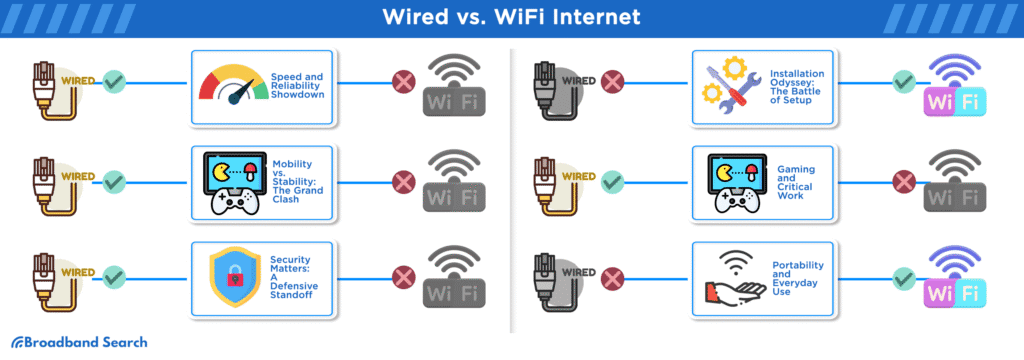
2. Use a Wired Ethernet Connection
Wi-Fi is convenient but not always stable for IPTV streaming.
Ethernet provides:
- Stable connection
- Faster speed
- Lower buffering
- Better live sports experience
If possible, connect your IPTV device directly to the router.
3. Reduce Network Load
If too many devices are using the internet at the same time, IPTV performance drops.
Fix it by:
- Stopping downloads
- Pausing updates
- Disconnecting unused devices
This gives more bandwidth to IPTV streaming.
4. Clear IPTV App Cache
Over time, IPTV apps store temporary files that slow performance.
To fix:
Settings → App Settings → Clear Cache → Restart App
5. Lower Video Quality
If buffering continues, reduce video quality:
- 4K → HD
- HD → SD
Lower quality requires less internet speed.
6. Switch IPTV Server or Playlist
Sometimes the issue is not your internet it is the IPTV server.
Try:
- A different playlist (M3U link)
- Another server provided by your IPTV provider
Servers can get overloaded during peak hours.
7. Check Your Internet Speed
Recommended speeds:
- SD Streaming: 10 Mbps
- HD Streaming: 20–30 Mbps
- 4K Streaming: 40+ Mbps
If your speed is lower, buffering will continue.
8. Restart Your Device
Restart your Firestick, Android TV box, or Smart TV regularly.
This helps:
- Clear memory
- Fix temporary glitches
- Refresh system performance
9. Check for ISP Throttling
Some internet providers may slow down streaming traffic during peak hours.
If buffering happens only at night:
- Try a VPN
- Test mobile hotspot
- Compare different times of day
Conclusion
IPTV buffering in the UK is usually caused by internet instability, device issues, or server overload not the IPTV app itself.
By following the simple fixes in this guide, you can greatly improve streaming quality in 2026.
For the best experience, always use:
- Stable internet connection
- Updated IPTV apps
- Ethernet instead of Wi-Fi
- Reliable IPTV servers
Smooth streaming is possible when your setup is optimized correctly.
FAQs
Why does IPTV keep buffering in the UK?
Usually due to slow internet, Wi-Fi issues, or server congestion.
What internet speed is best for IPTV?
At least 20–30 Mbps for HD and 40+ Mbps for 4K.
Does Ethernet stop buffering?
Yes, it provides a stable and faster connection than Wi-Fi.
Why does IPTV buffer at night?
Because of peak internet usage or server overload.
Can VPN fix IPTV buffering?
In some cases, yes especially if ISP throttling is involved.
About the Author
This article is created by the B1G IPTV Player editorial team, focused on IPTV streaming solutions, setup guidance, and performance optimization for UK users. The team aims to provide clear, practical, and trustworthy information for better streaming experiences.


